
- Services
- Services
-
- Hire a Team
-
- Industry
- Company
- Company
-
- Case Study

Magento powers some of the most flexible online stores in the world. It also demands skilled hands. A great team can turn it into a fast, scalable sales engine. A weak team can turn it into a slow, expensive headache.
That is why choosing the right Magento development company matters so much. Your partner shapes your store’s speed, security, and long-term costs. This guide gives you an eight-step process in plain language. First, non-technical owners get clear checks. Next, technical leads get deeper questions to ask.
Quick answer: To choose a Magento development company, check proven Adobe Commerce experience first. Then review case studies in your business model, security and upgrade habits, pricing clarity, and post-launch support. Finally, start with a small paid pilot before committing to the full project.
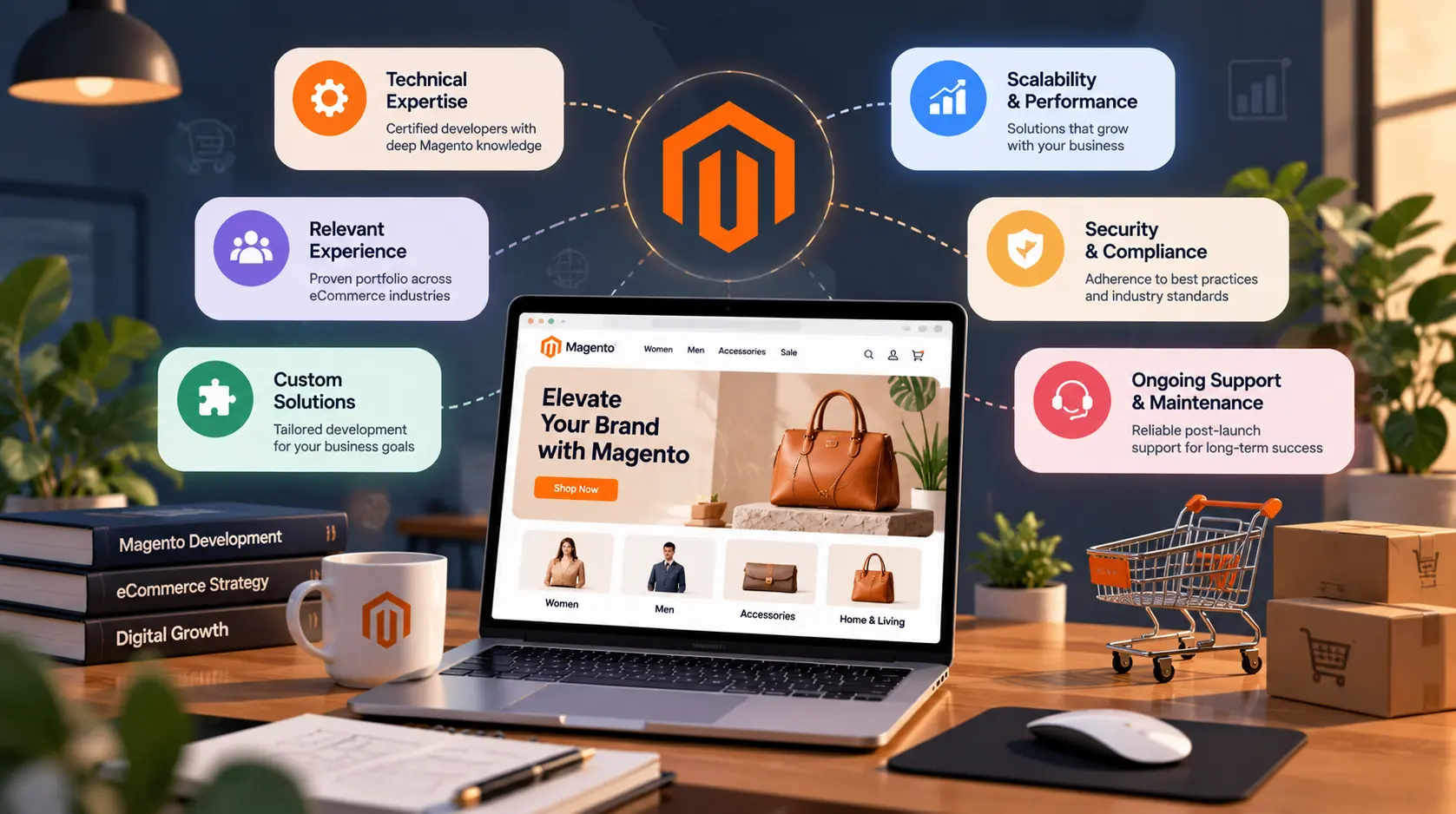
A Magento development company builds and maintains online stores on the Magento platform. Today, Adobe sells the paid edition as Adobe Commerce. A free edition, Magento Open Source, also remains available.
Typical work includes:
In simple terms, Magento is like a powerful professional kitchen. It can produce amazing results, but only a trained chef can run it well.
Learn more about AssaptR’s Magentodevelopment services.
Before hiring anyone, confirm that Magento fits your needs. A good partner will help you test this honestly.
Open Source is free to download, so your costs go into development and hosting. Adobe Commerce, the paid edition, adds B2B features, staging and preview, advanced segmentation, and cloud hosting. Therefore, large and B2B stores often prefer Adobe Commerce, while smaller teams may start with Open Source.
The platform keeps evolving, and your partner must keep up. Adobe Commerce 2.4.8 adds PHP 8.4 compatibility, MariaDB 11.4 support, and GraphQL improvements for the new Edge Delivery storefront. Storefront choices have shifted too. PWA Studio now gets only maintenance releases, Adobe points new storefronts to Edge Delivery Services, and Magento Open Source does not support that path. Meanwhile, the Hyvä theme has been free and open source since November 2025.
Ask every vendor about these changes. A team that cannot explain them may be working from old playbooks.
Vendors can only help when you know what you need. So write a short brief before you reach out.
For business owners: Answer these questions.
For technical leads: Add your current stack, integrations, data volumes, hosting preferences, and compliance needs.
A clear brief makes proposals easier to compare. Moreover, it shows vendors that you are serious. If your scope is still fuzzy, ask for a paid discovery workshop first.
Magento is complex. General web developers often struggle with it. Therefore, look for deep, proven experience.
Proof to Request
Ask for these items:
One Magento cost guide advises validating experience with real examples such as GitHub profiles, case studies, live stores, and references. You can review our own case studies to see what strong proof looks like
Ask Who Will Do the Work
Companies sometimes pitch with senior experts, then assign junior staff. So ask who will write the code. Request short profiles of the actual team members, including their Magento experience.
Not all Magento stores are alike. A B2B wholesale store works very differently from a fashion brand.
Match the vendor to your model:
Ask for examples in your model. A vendor with five B2B builds will handle your B2B project better than one with none. Industry knowledge matters too, especially in retail, where seasonal spikes and large catalogs are common.
Your storefront drives conversions. Slow pages cost sales, so ask how the team plans to make yours fast.
Storefront Options
Each option has trade-offs in cost, speed, and flexibility. A good vendor explains them clearly and recommends one based on your goals. If you consider a headless build, our Next.js development services show how modern front ends connect to commerce backends.
Performance Questions
Developers on your side should ask about caching, Varnish, Redis or Valkey, image optimization, and Core Web Vitals targets. Also ask how the vendor will measure speed before and after launch.
Many Magento problems come from poor customization. Therefore, ask how the team builds on top of the platform.
For business owners: Ask whether the vendor avoids unnecessary extensions. Too many add-ons slow your store and create risk.
For technical leads: Ask these questions.
Clean code keeps upgrades simple. Messy code, in contrast, turns every update into a risky project.
Integrations matter as well. Ask how the vendor connects your ERP, CRM, and shipping tools. For deeper backend skills, our guide on how to choose a backend development company covers the technical checks in detail.
Online stores handle payments and personal data. Security failures hurt both revenue and reputation.
Upgrade Planning
Magento versions reach end of support, so upgrades are part of ownership. Adobe Commerce 2.4.7 remains supported until April 2027, and 2.4.8 requires PHP 8.3 first. Also note that support clocks differ. Magento and PHP follow separate support timelines, and the PHP one often runs out first. In addition, Magento Open Source stores do not receive Adobe Commerce extended-support patches.
Ask each vendor how they plan and test upgrades. A planned upgrade is calm. An emergency upgrade is expensive.
Security Practices
Look for these habits:
Finally, confirm that your contract names you as owner of the code, data, and hosting accounts.
Magento projects vary widely in cost. So compare more than the hourly rate.
What Rates Look Like
Magento developer rates commonly range from $50 to $250 per hour, depending on experience, certifications, and location. The same guide notes that in the United States and Canada, rates start at about $100, while Eastern European rates run about $20 to $50. Therefore, region is a major cost factor.
However, cheap is not always better. Estimation quality, QA, communication, and delivery maturity can outweigh a lower rate.
Smart Budgeting
A hybrid team can balance cost and quality. One approach is to hire a senior certified architect for design and code review, and pair them with mid-level developers for implementation.
Remember the software costs as well. One 2026 US cost guide estimates a first-year Adobe Commerce license for a mid-market brand at $32,000 to $45,000. Prices vary by revenue and contract, so confirm directly with Adobe or a partner.
Engagement Models
You can choose fixed price, time and materials, or a dedicated team. Fixed price suits clear scopes. Time and materials suit evolving work. A dedicated team suits long-term roadmaps. Our guide to offshore software development explains how these models compare.
Launch is the start of your relationship, not the end. Your store needs constant care.
Before signing, confirm these points:
Strong handover terms protect you from lock-in. In short, you should always be able to move your store elsewhere.
Rate each vendor from 1 to 5, then multiply by the weight.
| Criteria | What good looks like | Suggested weight |
|---|---|---|
| Magento and Adobe Commerce expertise | Certified team, live stores, references | 25% |
| Business model fit | Past work in B2B, B2C, or multi-store like yours | 15% |
| Code quality and customization | No core edits, tests, clean standards | 15% |
| Security and upgrades | Patching, PHP planning, PCI awareness | 15% |
| Storefront and performance | Clear plan with measurable speed targets | 10% |
| Pricing clarity | Line-by-line estimate with assumptions | 10% |
| Support and ownership | Warranty, SLA, docs, code ownership | 10% |
Bring this list to every vendor call.
The last question matters most. A short pilot shows how the team communicates and codes before you commit your full budget.
Watch for these early warning signs.
Magento is powerful, but it is not for everyone. Smaller stores with simple needs may do better elsewhere. Shopify, for example, offers faster setup and lower maintenance. WooCommerce suits content-led stores.
Compare these options in our guide to Shopify vs WooCommerce for growing businesses. If Shopify looks like a better fit, see our Shopify development services and our advice on choosing a Shopify development company. A trustworthy partner will tell you honestly if another platform suits you better.
Costs depend on scope, region, and team seniority. Developer rates commonly range from $15 to $50 per hour. A simple store costs far less than a custom B2B platform, so request a detailed, itemized quote.
Magento is the original open-source platform. Adobe Commerce is the paid, enterprise edition built on it, with extra features such as B2B tools and cloud hosting. Magento Open Source remains free to use.
A basic store can take two to three months. Complex builds with custom modules, integrations, and migrations often take four to eight months or more. A discovery phase gives you a realistic timeline.
Certification is not essential, but it is a helpful signal. It shows verified knowledge of Adobe’s best practices. Still, always check real projects and references too.
Many can, but check their track record. Our eCommerce SEO services and conversion rate optimization services work alongside development to grow traffic and sales.
Yes, if you plan for it. Insist on code ownership, clear documentation, and access to your hosting and repositories. These steps make any handover far smoother.
The right Magento development company combines technical depth, honest advice, and reliable support. Define your goals first. Then verify expertise, check code and security habits, compare pricing carefully, and confirm post-launch care. Finally, test the relationship with a small pilot.
A good partner does more than write code. They protect your upgrades, speed up your store, and help it grow.
AssaptR builds and supports scalable eCommerce stores. Explore our Magento development services, improve your storefront with our eCommerce web design services, contact our team, or schedule a free call to discuss your store.
Neha is a web technology enthusiast and content contributor at AssaptR, specializing in software development, custom web solutions, eCommerce, and digital marketing. Her articles focus on the latest industry trends, best practices, and actionable strategies that help businesses build secure, scalable, and high-performing digital products.
WhatsApp us